Backuply vs JetBackup
A practical comparison for hosting providers choosing server backup software. Both protect multi-tenant servers; Backuply emphasizes Softaculous-friendly pricing, Webuzo depth, and a first-party WordPress plugin.
Cost & Softaculous
Free with Softaculous on the server, or clear $5/mo · $55/yr standalone licenses—unlimited accounts per server. Installed on 25,000+ servers.
Panels you already run
Webuzo, cPanel, and DirectAdmin with admin + optional end-user self-service restores.
One brand, two products
Server fleet protection and a free+Pro WordPress plugin for site owners under the same Softaculous family.
Side-by-side
Capability comparison
How Backuply and JetBackup typically stack up for hosts. JetBackup details change over time—confirm critical features on jetbackup.com before you buy.
Licensing & cost
| Capability | Backuply | JetBackup (typical) |
|---|---|---|
| Entry pricing | Free with Softaculous on the server, or $5/mo · $55/yr standalone | Paid per-server plans (check current JetBackup list price) |
| Accounts per license | Unlimited accounts on the licensed server | Typically unlimited accounts per server license |
| Bulk / NOC discounts | Softaculous NOC slabs (up to 35% with volume) | Vendor bulk / partner programs (varies) |
| WordPress product pricing | Free plugin + paid Pro / Backuply Cloud plans | Separate JetBackup for WordPress product line |
Platforms & panels
| Capability | Backuply | JetBackup (typical) |
|---|---|---|
| Control panels | Webuzo, cPanel, DirectAdmin | cPanel, DirectAdmin, Plesk, Webuzo, and more (verify current list) |
| WordPress sites | First-party free + Pro Backuply plugin | Separate WordPress backup product |
| Softaculous ecosystem | Native fit with Softaculous / Webuzo licensing | Independent of Softaculous license |
Backup & restore
| Capability | Backuply | JetBackup (typical) |
|---|---|---|
| Backup methods | Compressed full + incremental (Restic, Borg, Rsync) | Full / incremental engines in the JetBackup stack |
| Job model | Unlimited jobs, multi-schedules, custom cron | Jobs, multi-scheduling, retention policies |
| Account targeting | Reusable account filters with AND/OR logic | Account filters and include/exclude rules |
| Selective restore | Full account or components: home, DB, mail, domains, SSL, cron, FTP | Advanced restore options for accounts and items |
| End-user self-service | Optional end-user backup & restore panel | End-user restore tools (self-service) |
| Disaster recovery / OS | OS backup workflows; ZFS/Btrfs snapshot modes when available | Disaster recovery tooling in the JetBackup product line |
Storage & automation
| Capability | Backuply | JetBackup (typical) |
|---|---|---|
| Destinations | Local, SSH/SFTP, FTP, S3 & S3-compatible, Google Drive, OneDrive, Dropbox | Local, remote, and a wide plugin destination ecosystem |
| APIs & CLI | Admin API, end-user API, Backuply CLI | RESTful API and automation surface |
| Rebranding | White-label / rebranding options for hosts | Branding options depend on plan/product |
This page is maintained by Backuply / Softaculous. Competitor information is summarized from publicly available product positioning and may not list every JetBackup feature or plan. Always verify current JetBackup capabilities and pricing independently.
See Backuply Server
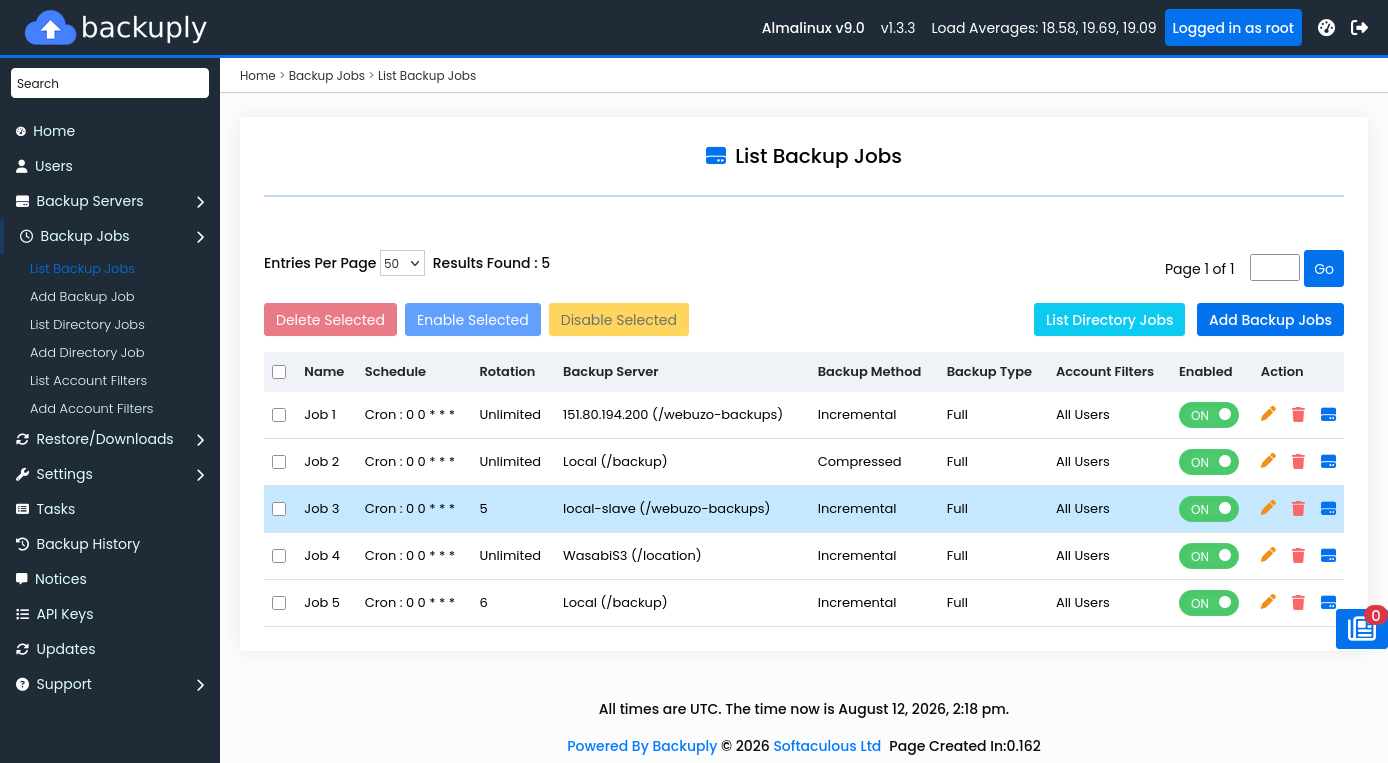
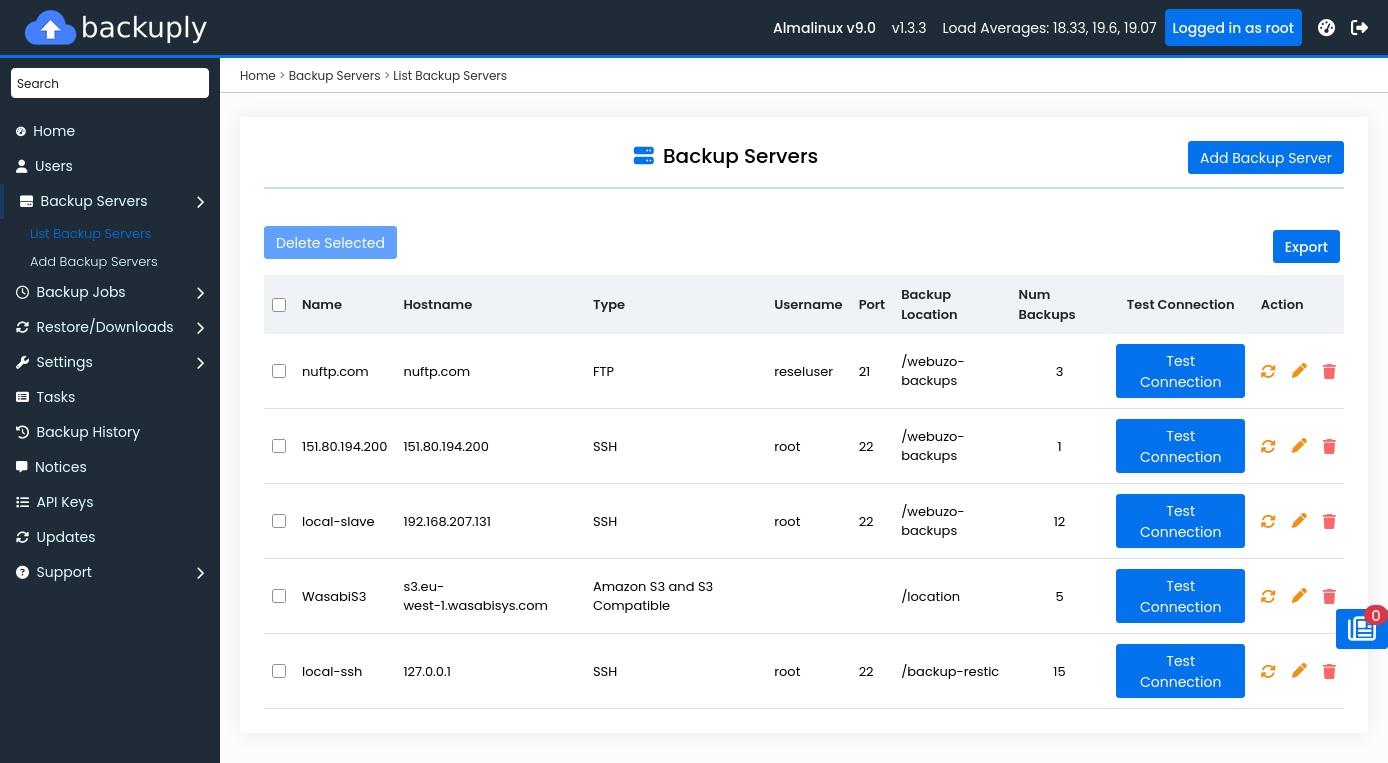
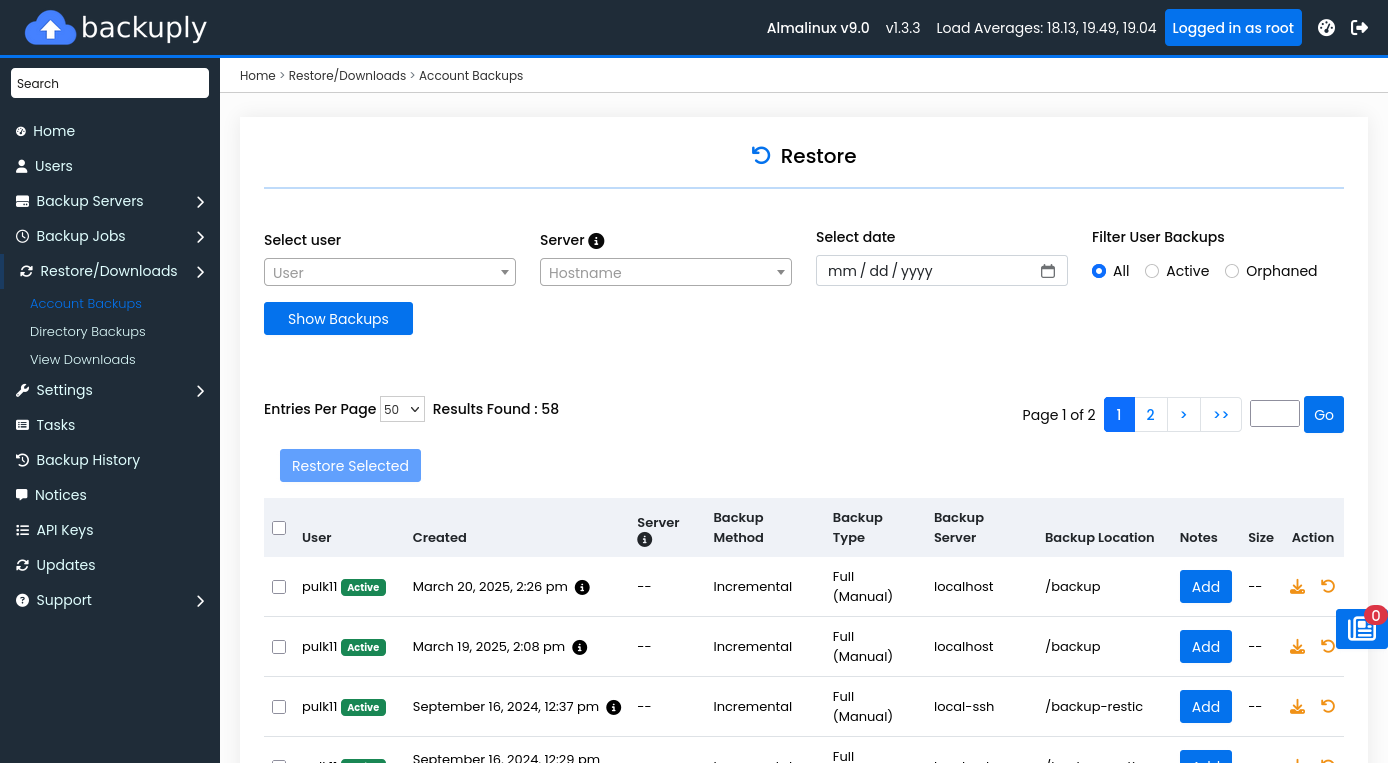
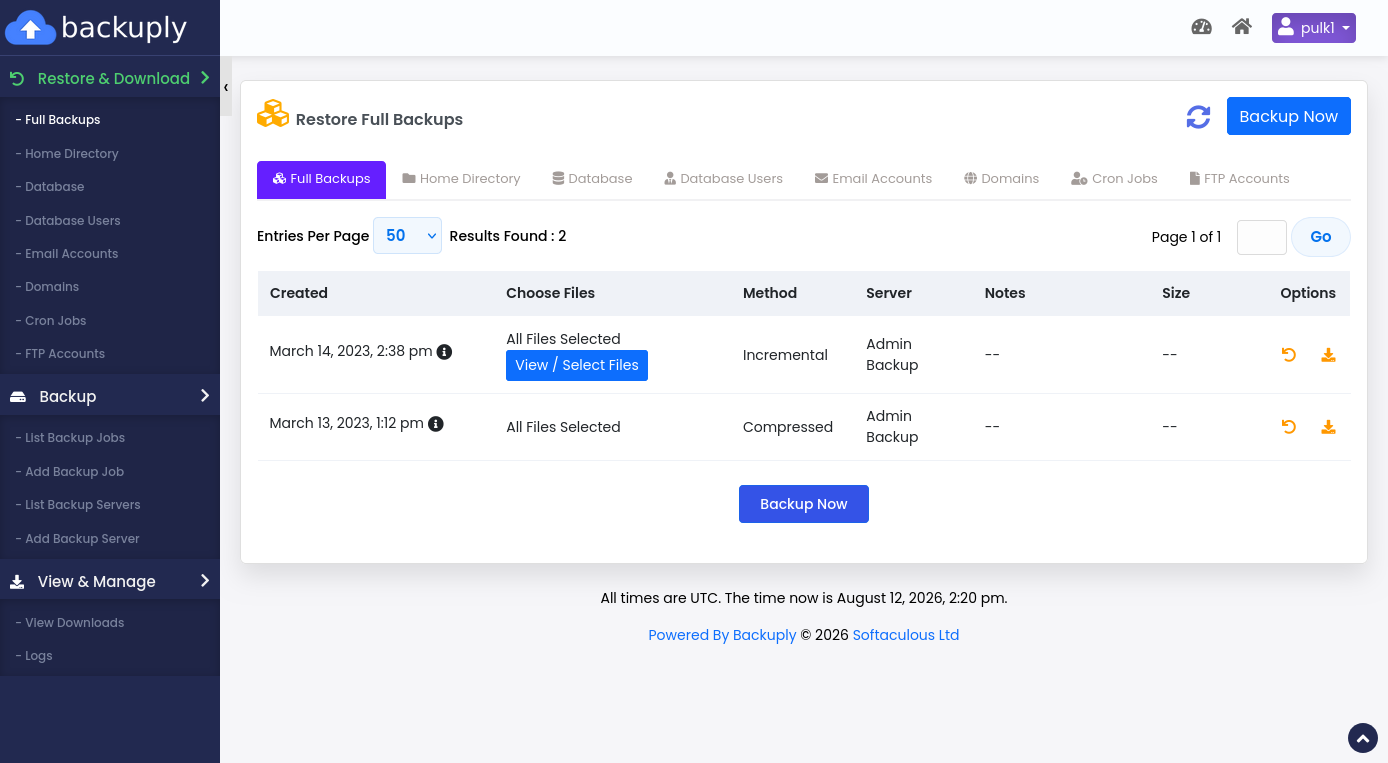
What the Backuply admin experience looks like
Real product screens from Backuply on Webuzo—jobs, destinations, and restores hosts use daily.
Choose Backuply when you want…
- Free Server product with Softaculous, or simple $5/mo · $55/yr standalone
- Deep Softaculous / Webuzo fit plus cPanel and DirectAdmin
- Incremental options with Restic, Borg, and Rsync
- Selective restore for home, databases, mail, SSL, and more
- A free + Pro WordPress plugin under the same brand
- Admin and end-user APIs plus CLI without a long enterprise sales cycle
Stick with (or evaluate) JetBackup when you need…
- A panel Backuply does not currently list as supported
- A destination or plugin only available in the Jet ecosystem
- Existing runbooks, training, and ops already standardized on JetBackup
- Features or compliance certifications unique to JetBackup’s roadmap
Still mapping requirements? See all features, cPanel backup, NOC bulk pricing, and install options.
Migration mindset
Moving from another backup stack
1. Inventory jobs
List current schedules, retention, destinations, and which accounts or packages matter most (VIP, mail-heavy, large homes).
2. Pilot on one server
Install Backuply, recreate jobs with filters and incremental methods, and run restores in a test window.
3. Cut over cleanly
Keep the old stack until you have successful offsite copies and documented restore drills for end users and admins.
Comparison FAQ
Is Backuply a JetBackup alternative?
For many hosts, yes. Backuply covers the core needs of multi-tenant server backup—jobs, schedules, destinations, filters, selective restore, and end-user self-service—with free Softaculous licensing or simple per-server pricing. Always verify panel support and features against your checklist.
Does Backuply support cPanel like JetBackup?
Yes. Backuply for Servers integrates with cPanel/WHM, plus DirectAdmin and Webuzo. Install docs and panel packages are available in the Backuply Server documentation.
How does pricing compare?
Backuply Server is free when Softaculous is licensed on the server. Without Softaculous, standalone licenses are $5/month or $55/year per server with unlimited accounts. JetBackup uses its own paid per-server plans—check jetbackup.com for current rates.
What about WordPress-only backups?
Backuply ships a mature free + Pro WordPress plugin under the same brand (local, cloud destinations, migrate/clone). JetBackup also offers WordPress products separately. Pick based on whether you need panel-level server backup, site-level WP backup, or both.
Try Backuply free with Softaculous
Install on Webuzo, cPanel, or DirectAdmin. Softaculous-licensed servers get Backuply Server at no extra cost—or license monthly/yearly standalone.